
The right lead to the right person.
And a timer until someone answers.
Score rules decide how hot a lead is. Routing rules decide who gets it: round robin, weighted, territory, language, interest, fewest open leads or a claim pool. The speed-to-lead timer reminds, alerts, passes the lead on or escalates.
01Score rules
Open Setup > Scoring and routing. Every lead gets a score from 0 to 100 and a grade: A from 75, B from 50, C from 25, D below.
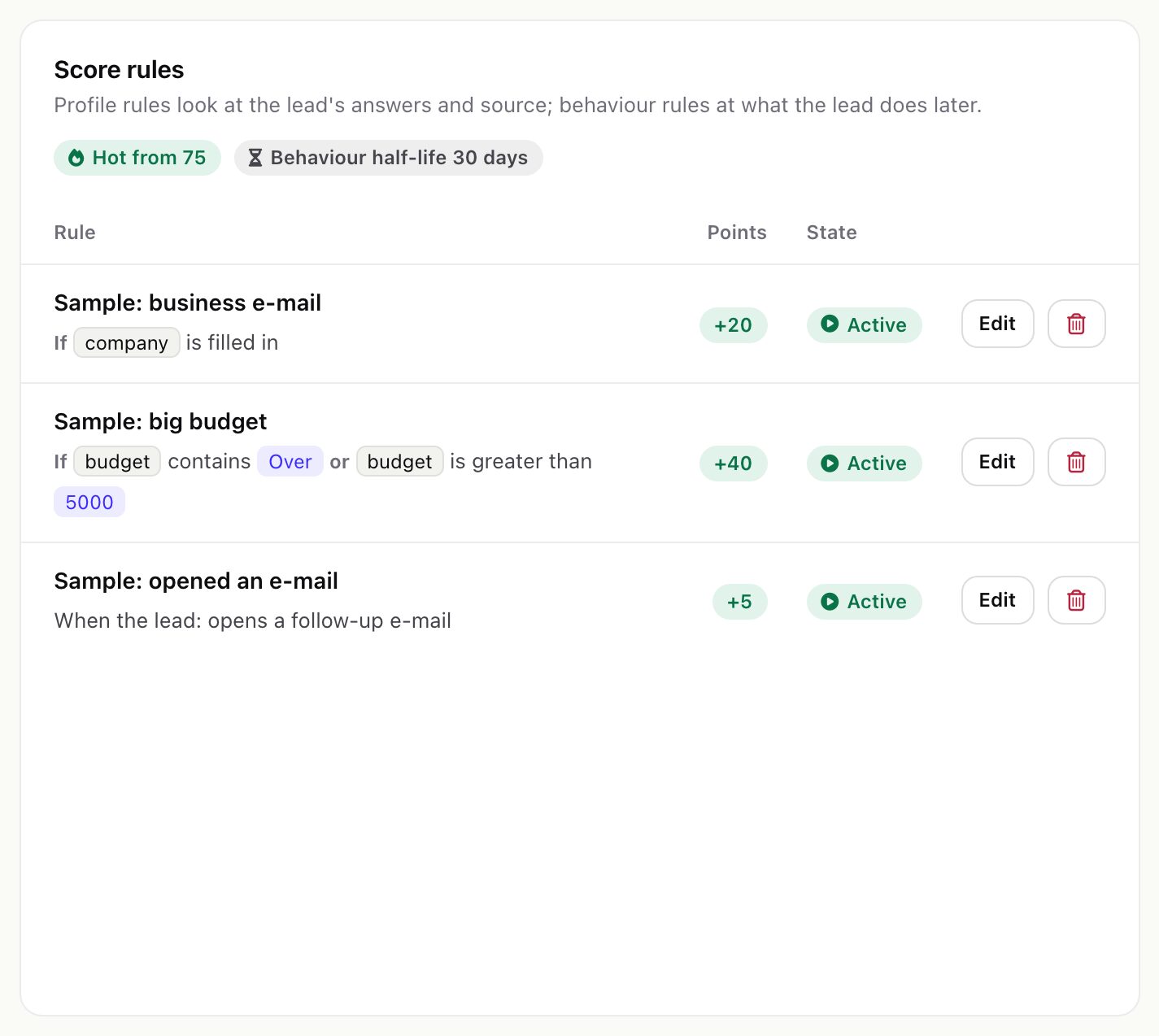
- Profile rules look at the lead's answers and source when a submission reaches the lead. Conditions can use any answer key, plus
email_type(business,freeornone),sourceand the UTM parameters. A rule without conditions gives its points to every lead. - Behaviour rules give points each time the lead sends a form again, opens a follow-up e-mail, clicks a link in one, or replies to one. Behaviour points fade with the behaviour half-life (default 30 days; 0 means they never fade). Profile points stay.
- Points go from -100 to 100 per rule. Changes apply to leads scored from then on.
- Hot score (Settings > Routing, default 75): from this score a lead is hot. Hot leads are listed on the dashboard and fire the
lead.hotoutgoing webhook once.
The lead panel shows which rules gave the points.
02Routing rules
Routing rules belong to a source (its Rules tab); the Scoring and routing page lists every source with its rules. Rules run from the top and the first that matches decides. With no rule, every lead goes to the source's default person, or waits without an owner when none is set.
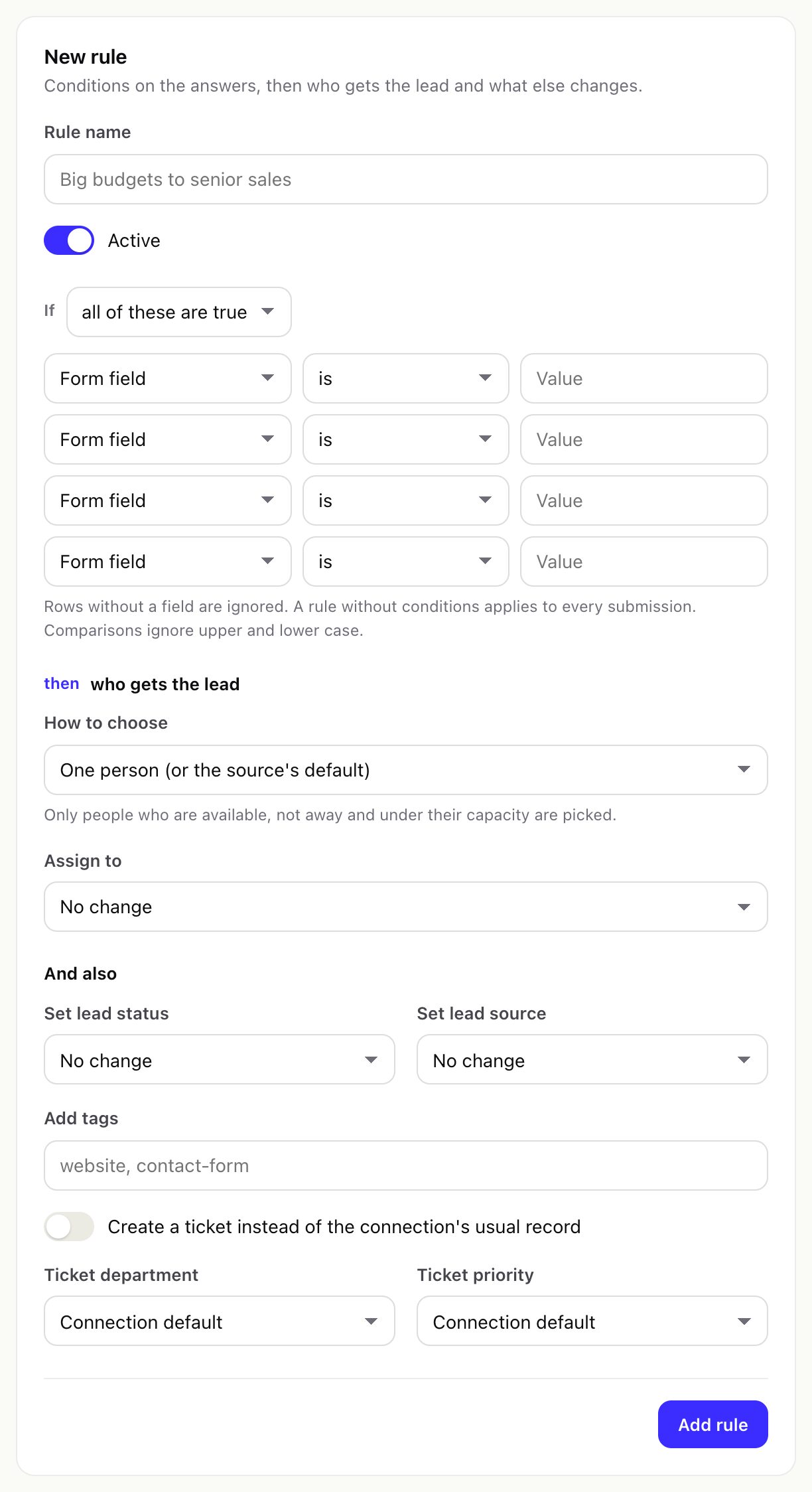
| How to choose | Who gets the lead |
|---|---|
| One person | The person you pick, or the source's default. |
| Round robin | The people in the rule take turns. |
| Weighted | Turns in proportion to the weights: 3 and 1 give three leads to one person, one to the other. |
| Territory | By the lead's country, then state: the list in the rule first, then each person's territories. |
| Language | By the language field: the list in the rule first, then each person's languages. |
| Interest | By the value of a field you name (for example the service asked for): the rule's list first, then each person's interests. |
| Fewest open leads | The person with the fewest leads still waiting for a first reply. |
| Claim pool | Everyone in the rule is alerted; the first to press Claim gets the lead (see Claim leads). |
Only people who take new leads, are not away and are under their capacity are picked. When nobody fits, the rule's fallback person gets the lead whatever their load; with no fallback, the lead waits without an owner and the managers are alerted. Working hours do not decide who is picked; they pause the reply timer.
03The sales team
Setup > Sales team lists your active Perfex staff. Edit a person to set:
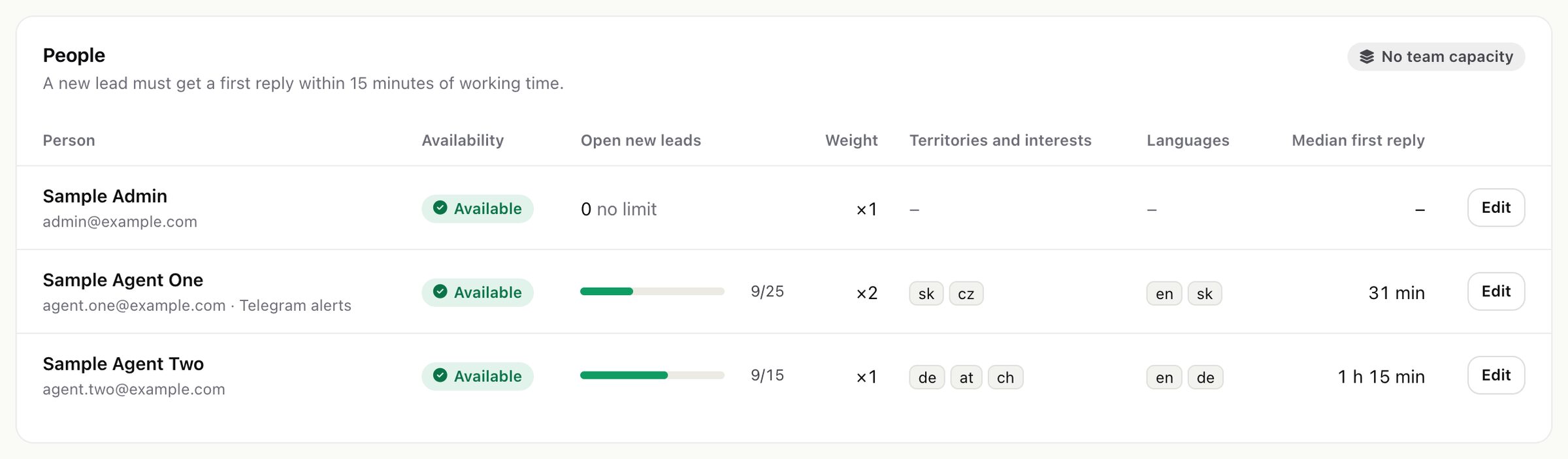
- Takes new leads (off: never picked by routing) and Away until (holidays).
- Capacity: open new leads at a time; empty uses the team capacity (Settings > Routing > Team capacity, default 0 = no limit).
- Weight (1 to 100) for weighted routing; Territories (country codes or names, comma separated), Languages (codes such as
en, de) and Interests (values of the interest field). - Time zone and working hours per weekday. The reply timer counts only working time. All empty: the timer runs around the clock.
- Telegram chat id for instant alerts (see Alerts).
04Speed to lead
When a lead is assigned, its reply timer starts. It stops at the first touch Catchline sees on the Perfex lead: a status change, a note, a logged contact or other activity by staff. Catchline looks for these on each cron run, so the timer is as precise as your cron.
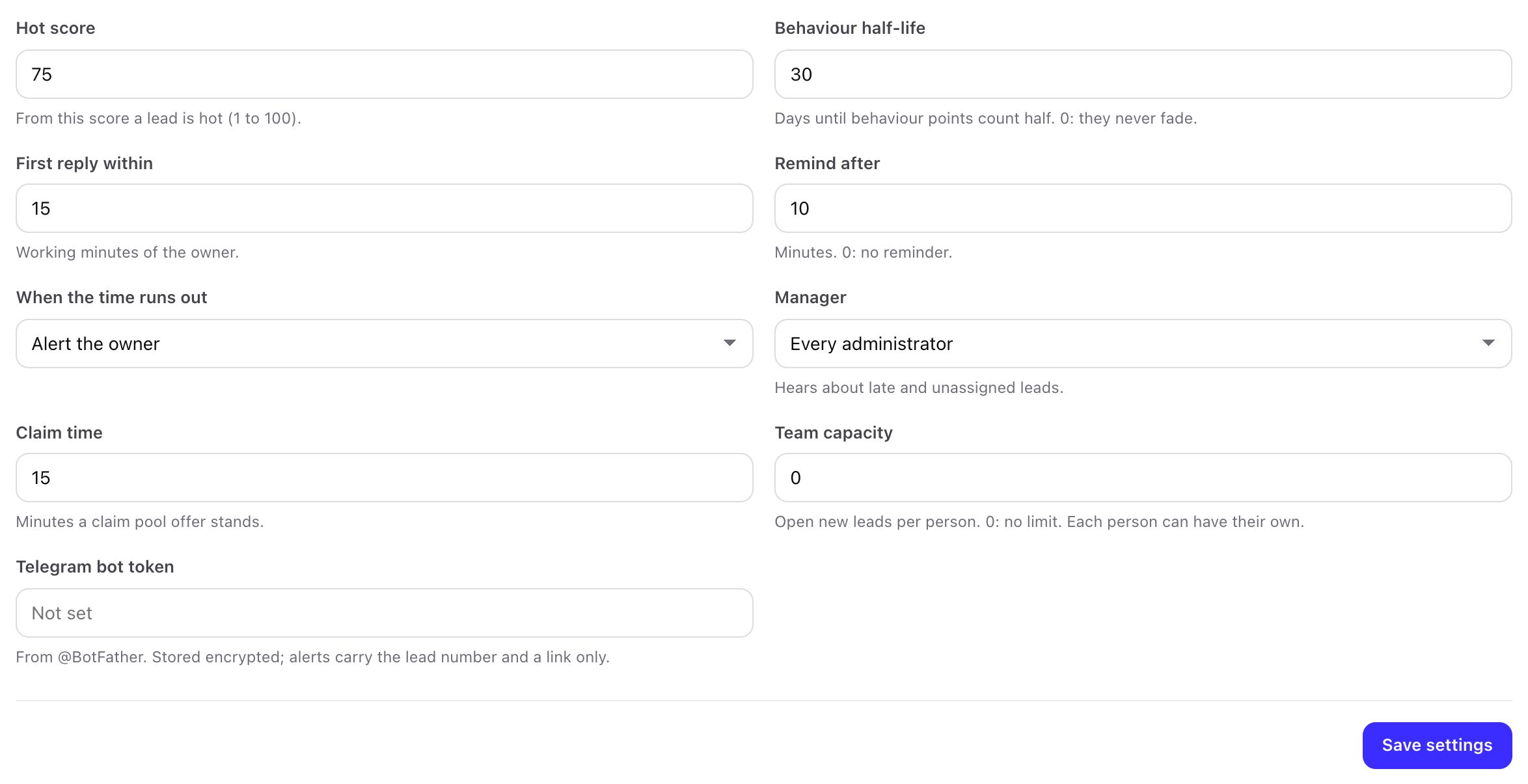
| Setting | Default | What it does |
|---|---|---|
| First reply within | 15 minutes | Working minutes of the owner. |
| Remind after | 10 minutes | One reminder to the owner; 0 sends none. |
| When the time runs out | Alert the owner | Or give the lead to the next person by the lead's own route (at most three times, then the managers are told), or alert a manager. |
| Manager | Every administrator | Who hears about late and unassigned leads. |
The Speed to lead report shows the median and the 90th percentile per salesperson and per source.
05Alerts
Catchline alerts people about leads offered to their pool, reminders and late leads, and tells managers about leads nobody could take. Each alert goes out as:
- a Perfex notification with a link to the lead,
- an e-mail to the staff member's address, through Perfex's e-mail settings,
- a Telegram message, when an administrator saved a bot token (Settings > Routing, from @BotFather, stored encrypted) and the person entered a chat id on the Sales team page. Telegram messages name the lead by its number and carry a link only, never the lead's name or e-mail.
When a new lead is assigned, the source's Notify the assigned staff member in Perfex switch sends the owner a Perfex notification (and, with Also send them an e-mail, an e-mail). When a lead changes owner later (a claim, a fallback, a reassignment), Catchline writes the new owner through Perfex's own lead model, so Perfex logs and announces the change as it does for any reassignment. Owners with a chat id also get a Telegram ping.