
Bring the old list along.
Through the same mapping and duplicate check.
Import leads from a spreadsheet or another CRM into a Universal source. Preview the rows and the mapping first; every row then runs through duplicates, rules and routing like any other lead.
01Where imports go
Open Catchline > Sources > CSV import. A CSV file is imported into a Universal source: either a new CSV source that Catchline creates for you, or one of your existing Universal webhook sources. Other kinds of sources (Typeform, Lead Ads and so on) are not offered, because their fields come in their own format. A source keeps its mapping, so the next file of the same kind needs no new setup.
Importing needs the Create connections permission.
02Import a file
- Prepare the file. A CSV file with a header row, up to 10 MB. Comma, semicolon and tab separated files are recognised, with or without a byte order mark; Excel's Windows-1252 files are read as such. In Excel use File > Save as > CSV UTF-8.
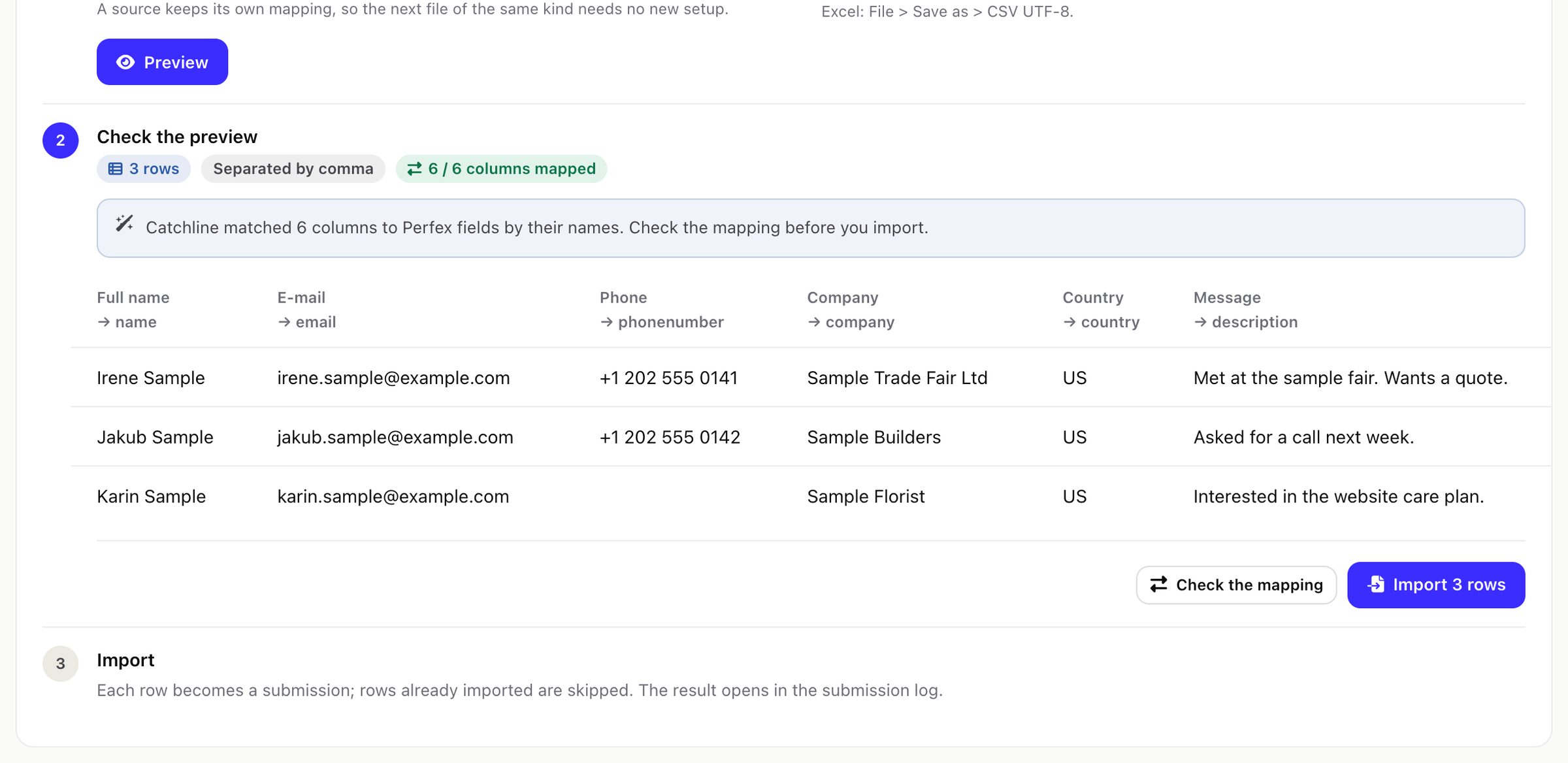
- Choose the file and press Preview. Catchline shows the first rows, how they were separated, and which column fills which Perfex field. Columns whose names it recognises are matched for you.
- Check the mapping. Press Check the mapping to change it on the source's Mapping tab (formats, joins, defaults and value maps work as for any source).
- Import. Each row becomes a submission. The result opens in the submission log: imported, already there, failed.
03Before you import a big list
Every imported row runs through the source's rules and routing (assignments and alerts) and can join active follow-up sequences whose trigger matches. A sequence with nothing chosen under Who joins takes every new lead with an e-mail address. Switch off or narrow your sequences, and check the source's routing, before you import people you do not want to e-mail or assign today.
- Row limit: one import may have up to 5,000 rows by default (Settings > Protection > CSV row limit, up to 100,000).
- Time: every row is processed fully (duplicates, rules, routing, follow-up), and the rows are saved in batches of 500. The whole import runs in one request, and many hosts stop a request after 30 seconds (
max_execution_time). In testing on MariaDB, 5,000 rows took about 4 to 9 seconds, but 20,000 rows took 56 to 90 seconds on a busy machine. The time per row also grows with the number of leads already in Perfex. Keep files at a few thousand rows, and raise the limit only if your server allows longer requests. - Importing again is safe: a row's id is made from its values, so rows already imported into the same source are counted as "already there" and skipped. Only rows that changed are imported again.
- Duplicates with your existing Perfex leads follow the source's Duplicates setting.
The file waits in uploads/catchline-private/import/ between preview and import, and is deleted after the import or after one day.