
Which source brings customers.
From the first visit to the paid invoice.
Leads, customers, paid-invoice revenue, costs and ROI by source and campaign, the funnel of each form, A/B results and speed to lead per salesperson, for any date range, with CSV export.
01Date ranges and export
Open Catchline > Reports. Every report has quick ranges (7, 30 or 90 days, this month, last month, this year) and a custom range. Tables can be filtered and exported as CSV with Export CSV; the file has the same figures as the table.
02Overview
Leads captured in the range, the customers they became, the paid invoices of those customers against what you spent, and how many leads got their first reply on time. Below: leads and customers of the eight biggest sources, and the funnel of your built forms together.
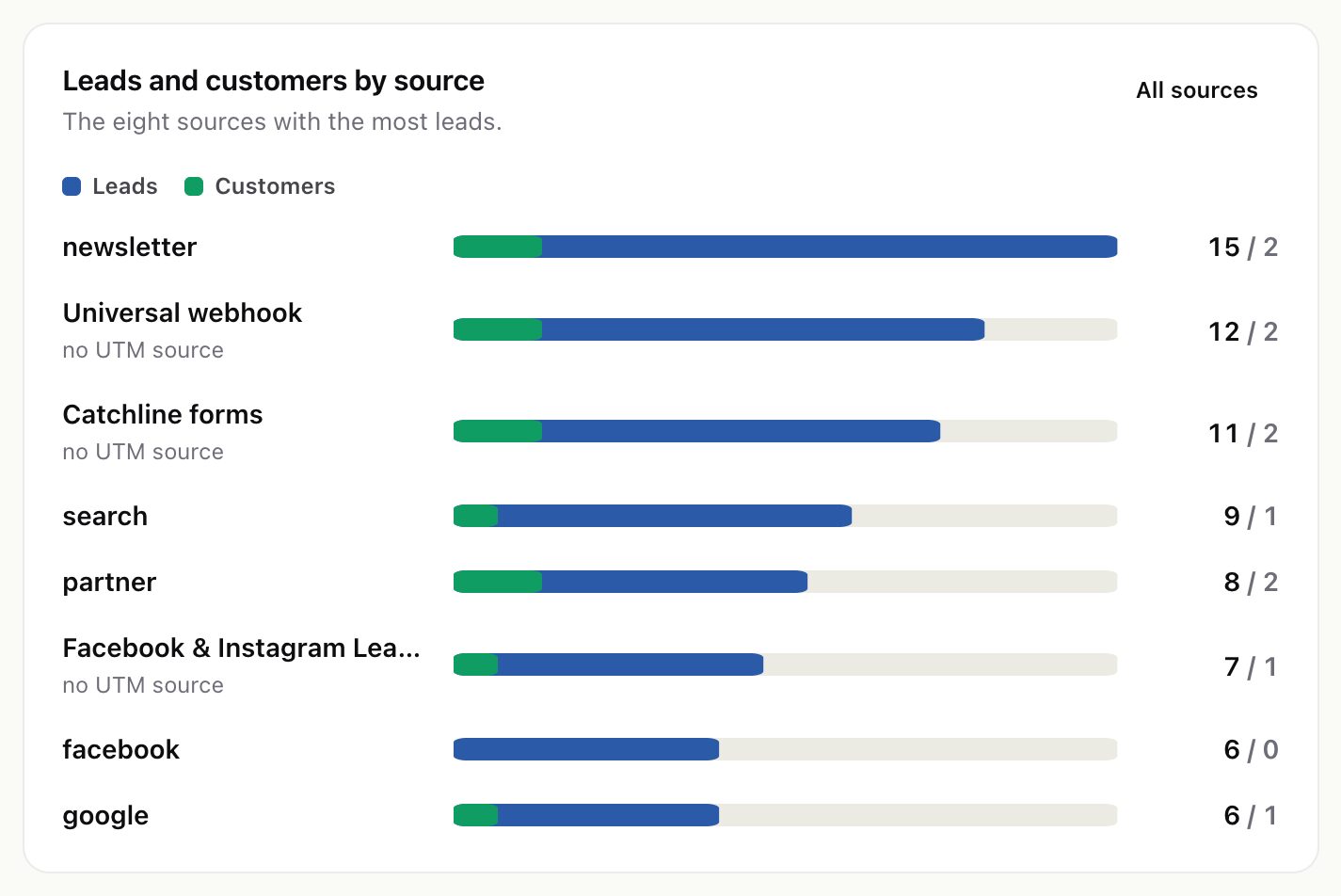
03Funnel
For one built form: views, started, sent, leads and customers, each with its share of the step before, for all variants together and for each A/B variant.
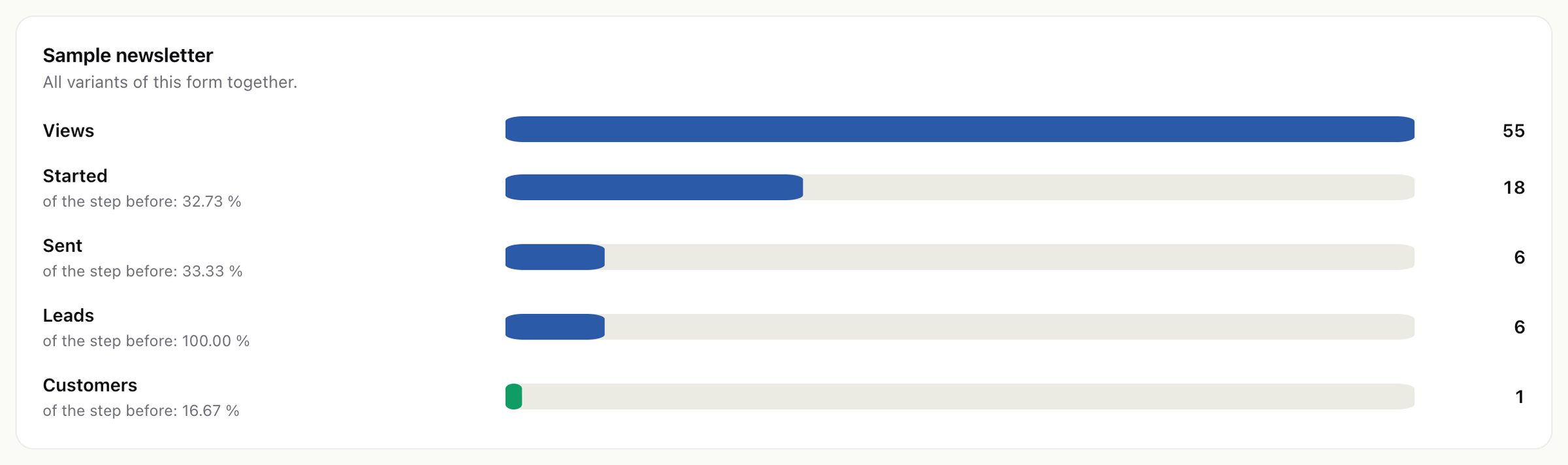
Views and starts are counted by the form on your pages, once per visitor and day. "Started" and the drop-off between steps are most useful with unfinished answers switched on.
04Sources and campaigns
Sources lists, per source: leads, customers, conversion, cost, cost per lead, cost per customer, revenue and ROI. Campaigns shows the same figures per utm_campaign; leads without one are listed under "No campaign".
- The source is the UTM source of the lead's submission; without one, the kind of source it came through (for example "Catchline forms" or "Facebook & Instagram Lead Ads"). Settings > Attribution > Credit the lead to switches between the last source (the visit that sent the form, default) and the first recorded visit (kept for 90 days by default).
- Revenue is the total of the converted customer's paid invoices dated on or after the day the lead converted. Unpaid, partly paid and cancelled invoices do not count.
- Leads are those captured in the range; their customers and revenue count whenever the conversion and payment happened, up to today.
- Amounts are added as stored, without currency conversion.
05Ad costs
Catchline does not read your ad accounts' spend. Type in what you spent under Reports > Ad costs: one amount per source, campaign (optional) and month, with a three-letter currency.
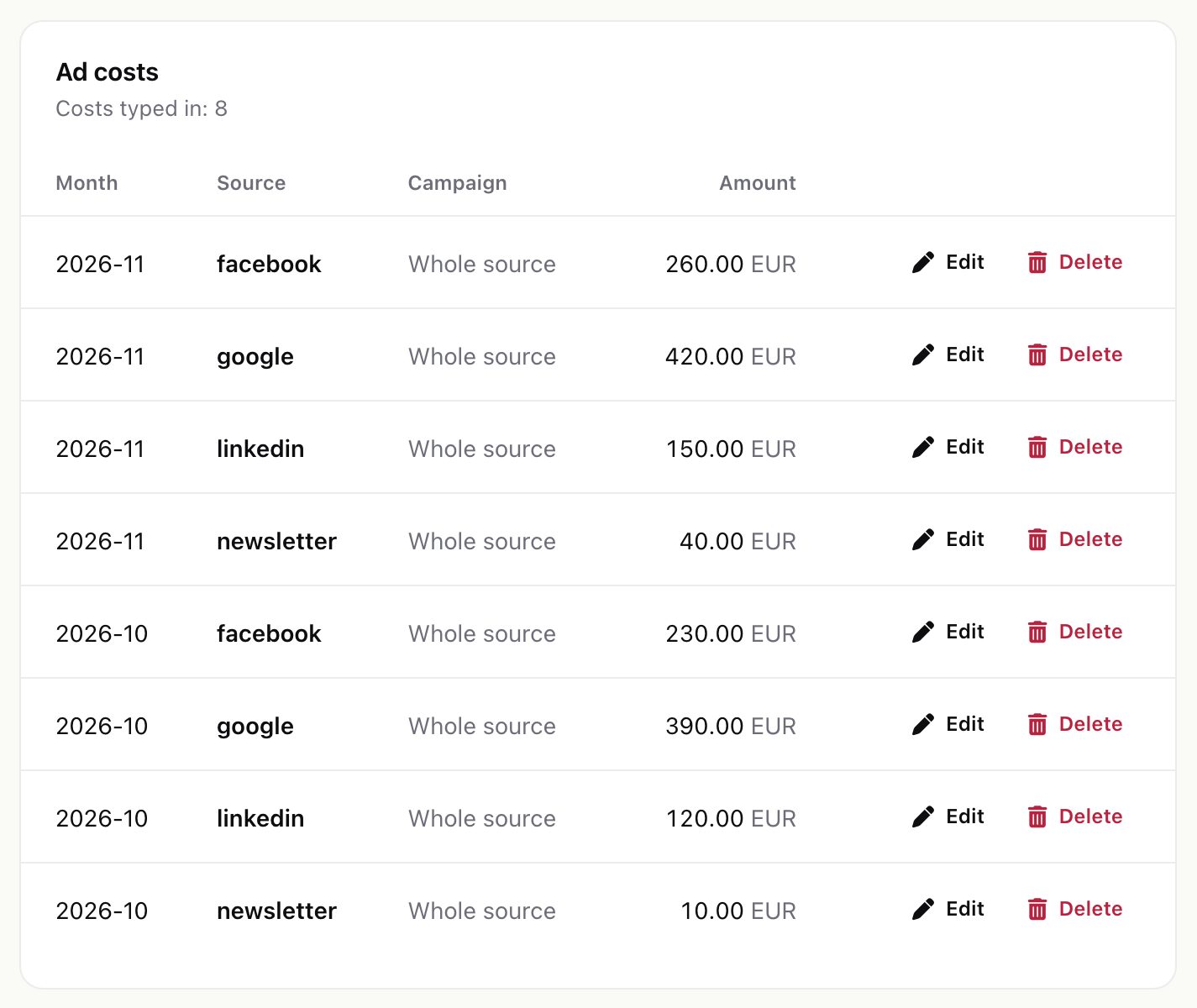
The source and campaign are matched like the captured UTM values, so "google" here counts for utm_source=google. A month's amount is spread evenly over its days, so a date range gets the days it covers. ROI = (revenue − cost) / cost. Without costs, the reports still show leads, customers and revenue.
06A/B tests
Choose a form with variants to see the sent rate (forms sent per view) of each variant against the control, the p-value of a two-proportion z-test and what it means.
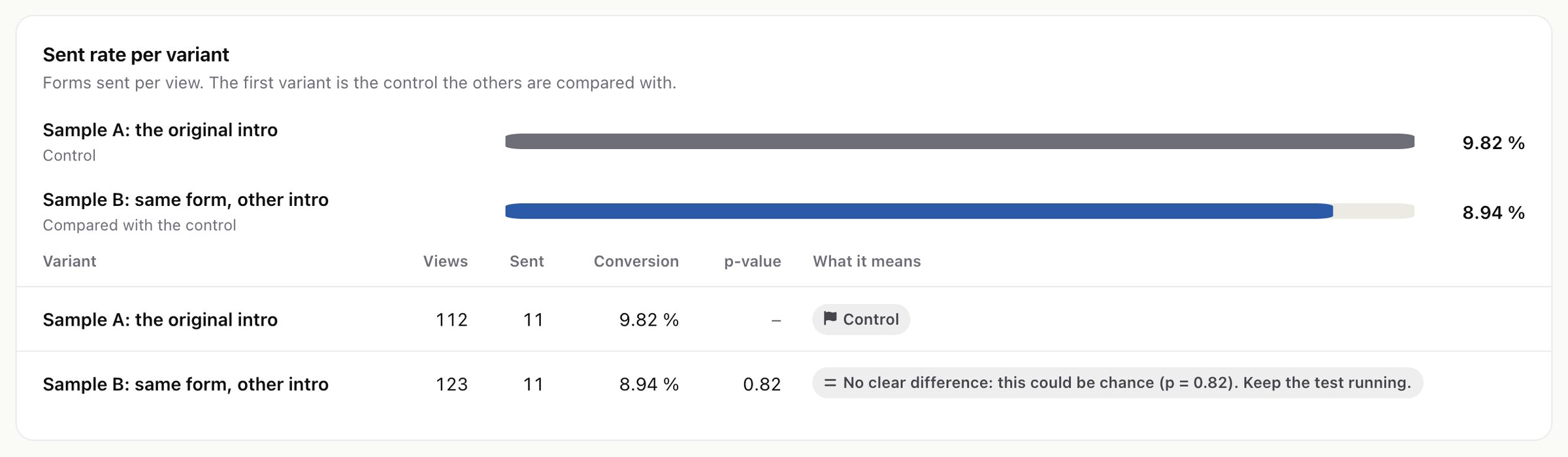
A verdict needs a p-value below 0.05 and 100 views or more for each variant. "Before the A/B test" is the traffic the form had while it had one variant only.
07Speed to lead
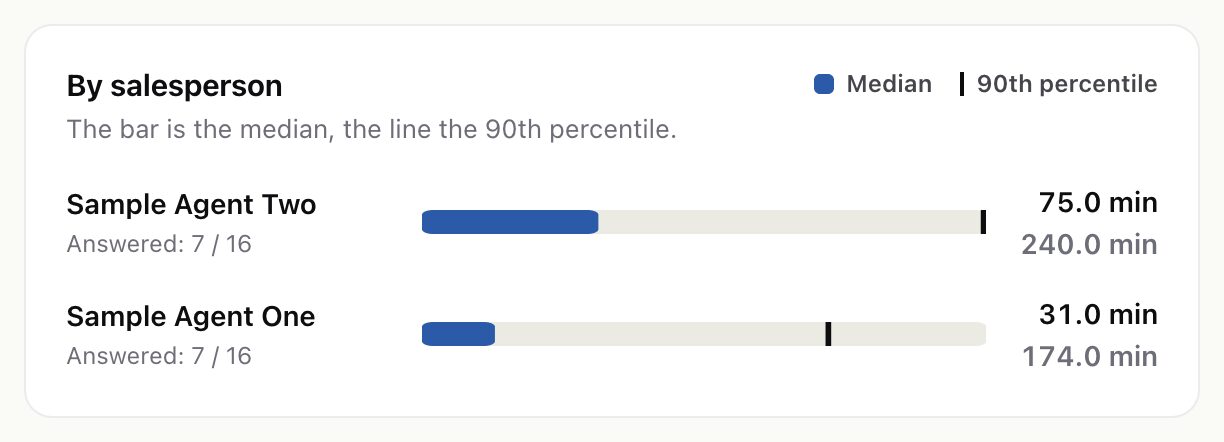
Minutes from assignment to the first touch, against your target: the median and the 90th percentile, answered and still waiting, per salesperson and per source. When a salesperson has working hours, only minutes inside them count.
08Reading the numbers
- Reports count only leads Catchline captured, not leads added in Perfex by hand.
- Conversions and status changes are picked up on the cron, so a lead converted a minute ago may not show yet.
- Year-long ranges read the whole attribution table; on 100,000 leads they took about 0.2 seconds in testing.