
One form, every place.
Page, embed, popup, QR code and A/B test.
Share a form as a page of its own, put it on your website with one line of code, show it as a popup, slide-in or bar, print its QR code, split visitors between two versions, and keep bots out.
01The Share tab
Publish the form first; the link, the codes and the QR code work from the first published version. Then open the Share tab.
02Hosted page
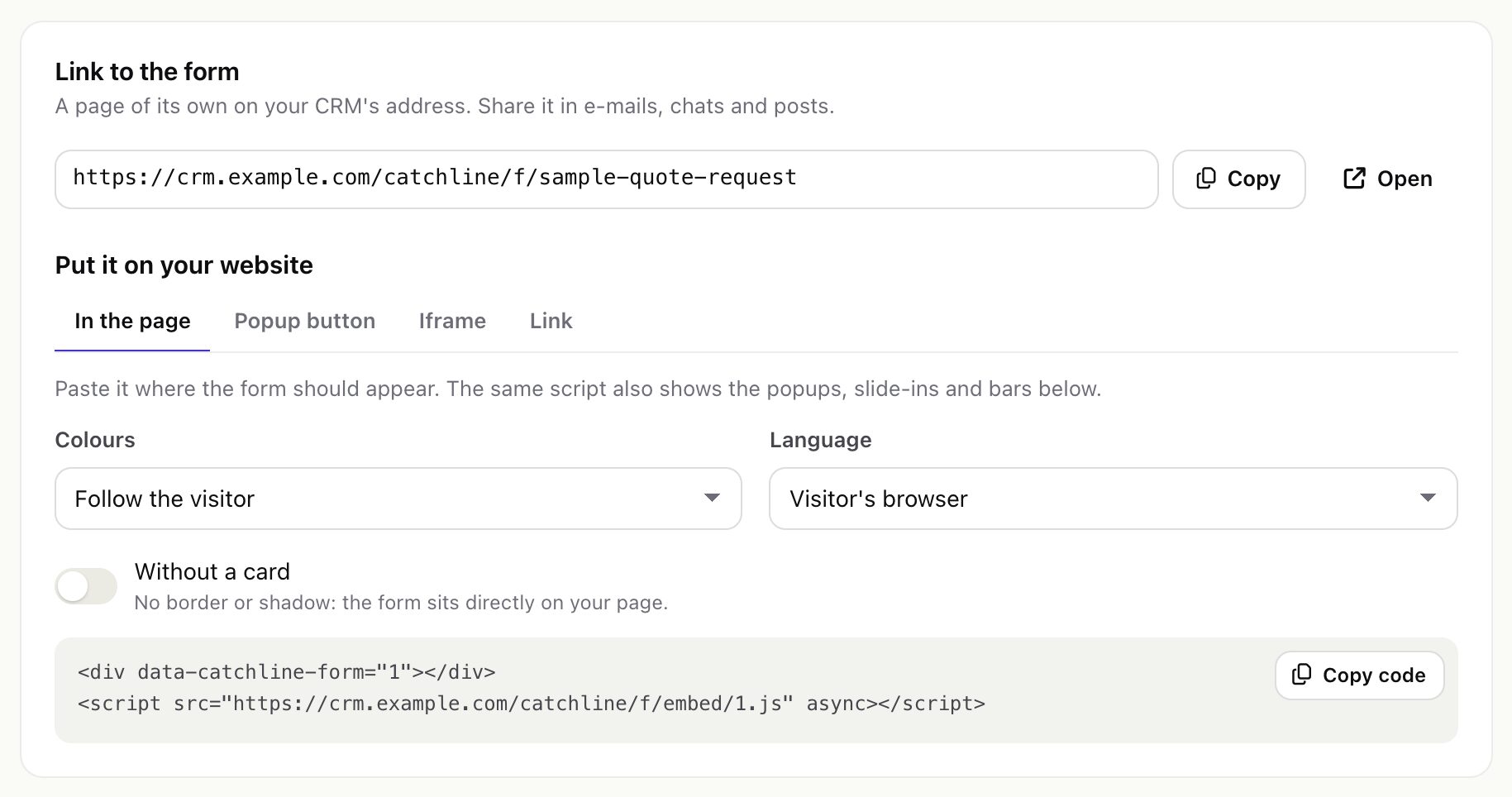
Every published form has a page of its own on your CRM's address, for example https://crm.example.com/catchline/f/website-contact-form. Share it in e-mails, chats, social posts and ads. The page is a plain page without the Perfex theme; add ?lang=de to the address to open it in one of the form's languages.
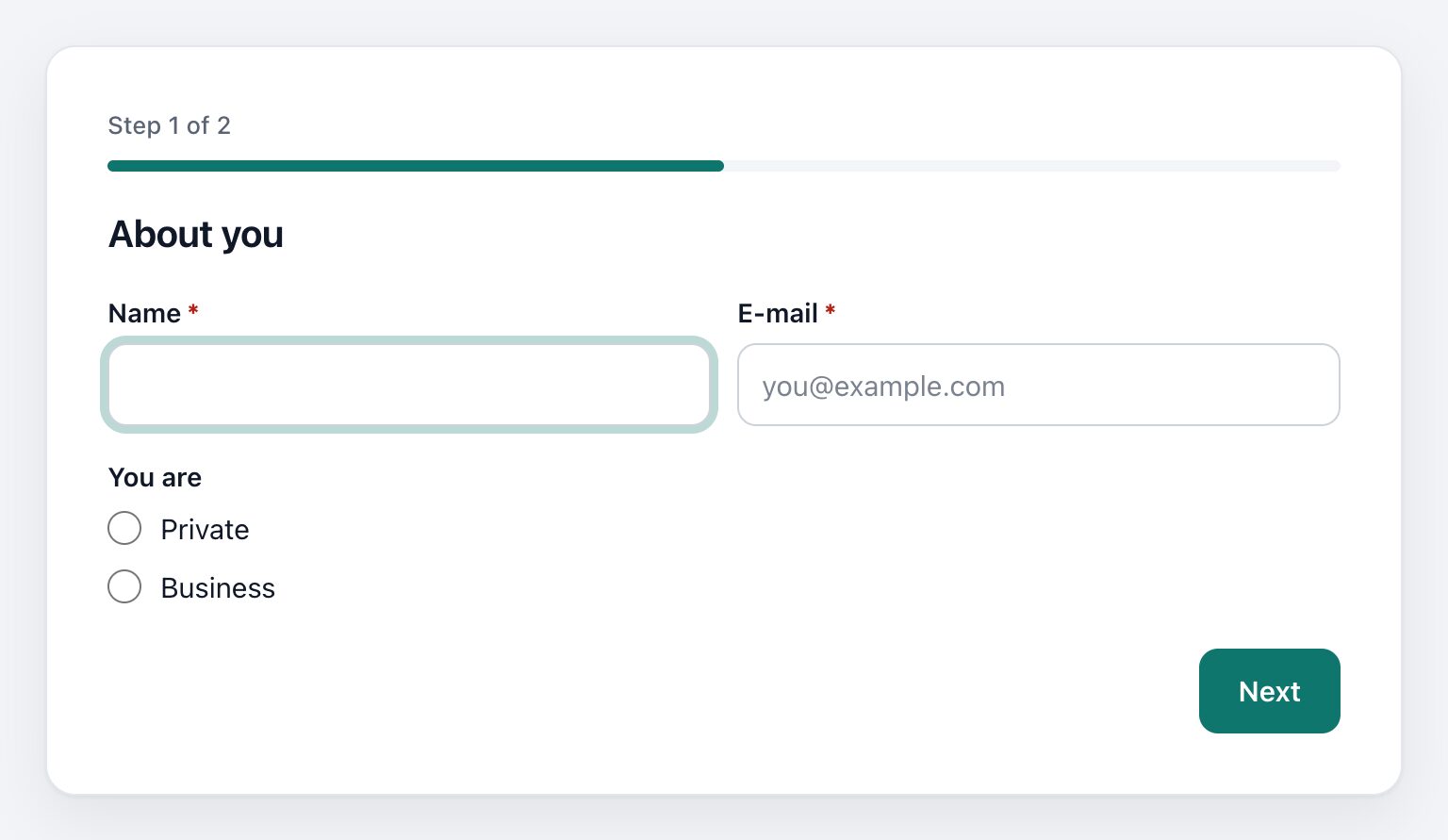
The page title (the text in the browser tab) is the form's first heading, or else its first step title, in the visitor's language; a form with neither shows "Form". The form's name stays internal.
03Put it on your website
The Share tab writes four codes for you:
| Code | What it does |
|---|---|
| In the page | A placeholder and one script. The form appears where you paste it and adjusts its height. The same script also shows the form's popups, slide-ins and bars. |
| Popup button | A button of your own that opens the form in a popup. It needs a popup that opens on a click; the Share tab creates it in one step. |
| Iframe | For website builders that accept only an iframe. Its height does not adjust itself, so leave room. |
| Link | A plain link that opens the hosted page in a new tab. |
The inline code looks like this (the number is the form's id):
<div data-catchline-form="1"></div>
<script src="https://crm.example.com/catchline/f/embed/1.js" async></script>- Options on the placeholder:
data-theme="light"or"dark"(default: follow the visitor),data-lang="de"(default: the visitor's browser),data-flat(no card border or shadow). - The form loads its answers and definition from your CRM, so the page can be on any domain. Catchline keeps no list of allowed websites: anyone can embed a published form; the spam checks below apply to every post.
- The script is cached by browsers for up to 5 minutes, so a change to the form's popups can take that long to show.
- The iframe shows the hosted page. If your web server sends an
X-Frame-Optionsorframe-ancestorsrule for the CRM, browsers will not show the iframe; use the script instead.
04QR code
The Share tab also shows a QR code of the hosted page for flyers, business cards and shop windows. Download SVG saves it as a vector image you can print at any size. The QR code is made inside the module; no outside service is called.
05Popups, slide-ins and bars
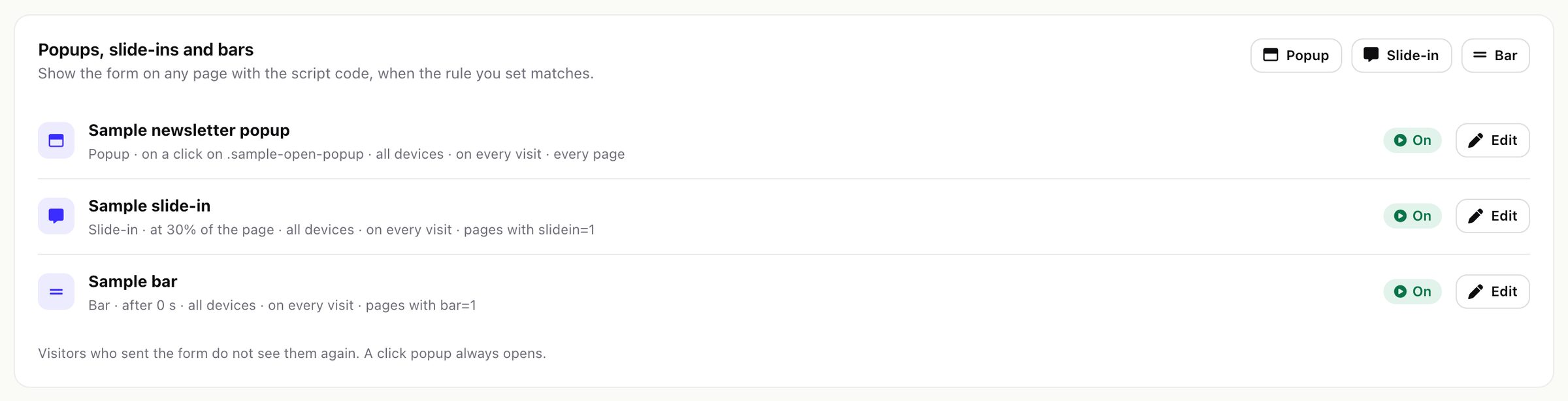
Under Share > Popups, slide-ins and bars add a placement. It shows on every page that has the form's script, when its rules match.
| Setting | Choices |
|---|---|
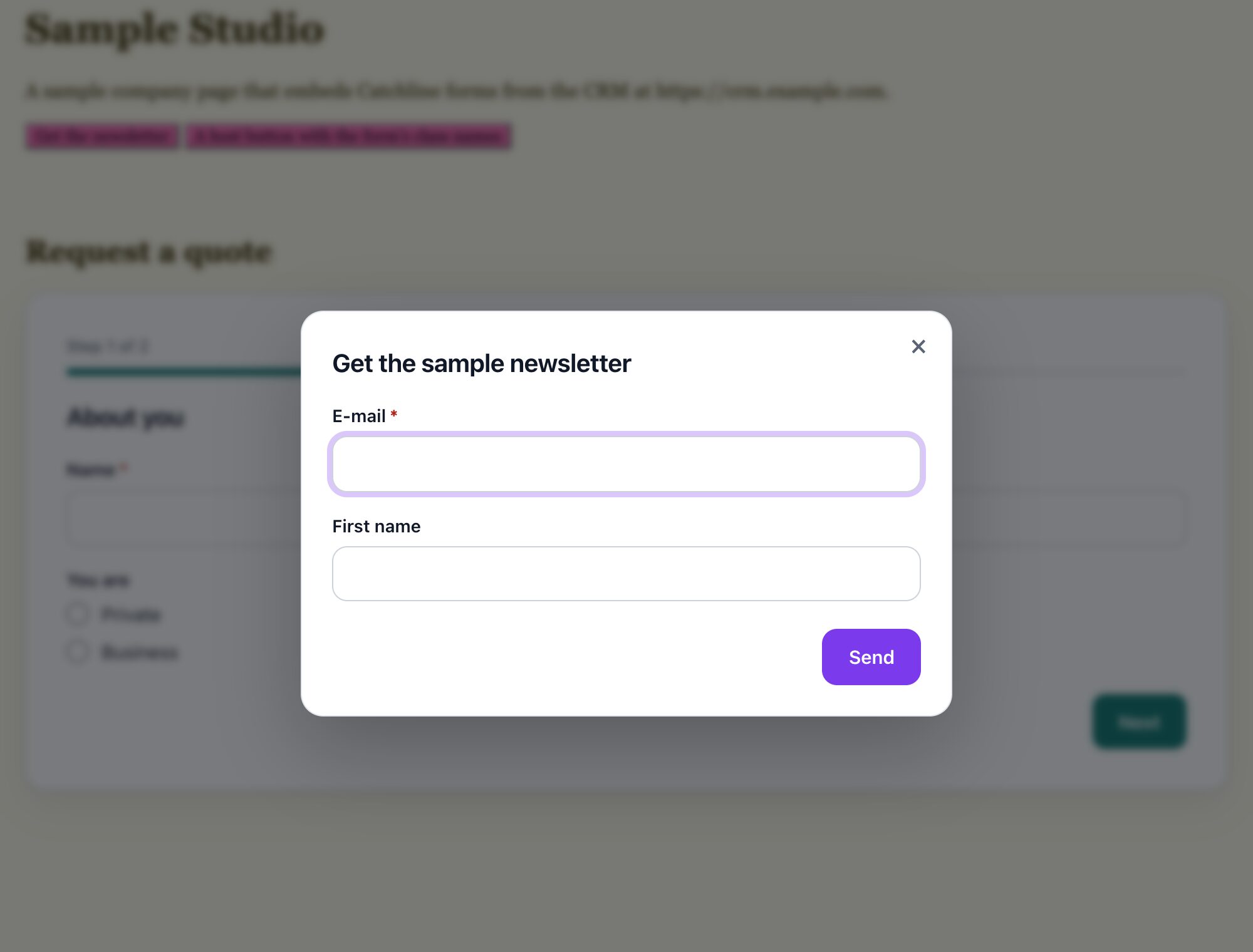
| Kind and position | Popup (centre of the page), slide-in (bottom corner, left or right), bar (top or bottom of the page) |
| Show it | After 0 to 600 seconds, after scrolling 0 to 100 % of the page, when the visitor is about to leave (mouse towards the tabs; never on phones), or on a click on an element (a CSS selector such as .open-form) |
| Devices | All, computers only, phones only (767 pixels wide or less) |
| Show again after | 0 to 365 days; 0 shows it on every page view until the visitor sends the form |
| Pages | Only on pages whose address contains, never on pages whose address contains (up to 20 rules each) |
| On / Paused | A paused placement keeps its settings and shows nowhere |
Visitors who sent the form do not see its placements again. A click popup always opens.
06A/B test
Every publish keeps a version. On the A/B test tab add two or more variants; each shows one published version to a share of visitors set by its weight (0 to 100; 50 and 50 is half each). A visitor keeps the variant they first got. Without variants every visitor gets the live version.
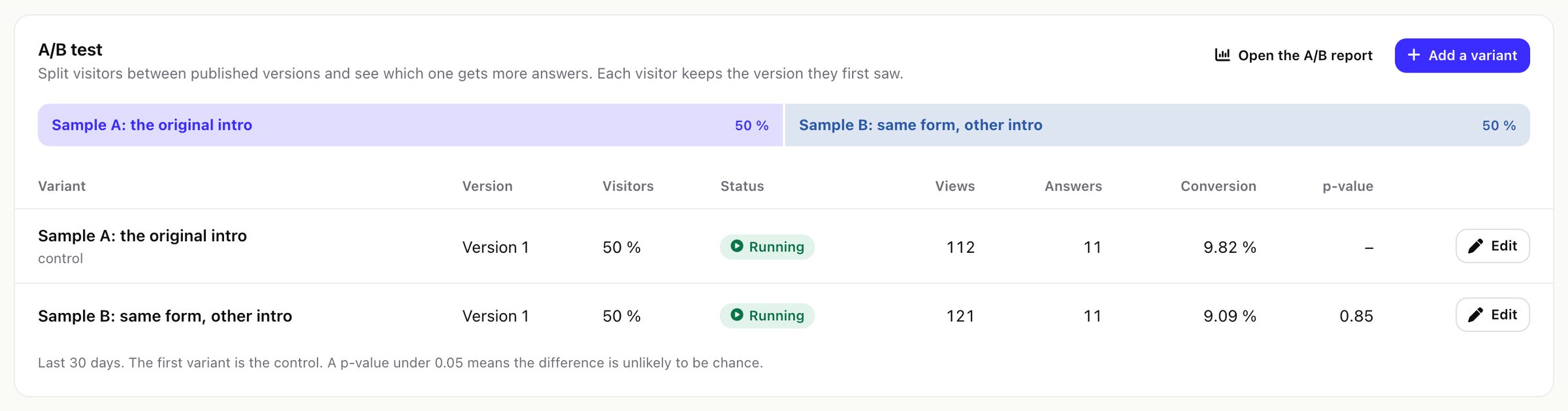
The first variant is the control. The results (last 30 days) show views, answers and conversion of each variant and a p-value from a two-proportion z-test against the control. Catchline calls a difference clear only when the p-value is under 0.05 and every variant has 100 views or more. See A/B report.
07Languages of the public form
The texts you write (questions, options, step titles, the message after sending, the consent text) are translated on the form's Languages tab. The built-in texts of the form (the buttons Next, Back and Send, "Step 1 of 2", "Please fill in this field" and the other error messages) come from the module's language file, in the language your CRM uses for public pages, and are the same for every form. A form with more than one language translates them on its Languages tab too (group "Buttons and messages"; keep {n}, {total} and {max}): a visitor in that language then sees the form's own translation, also in the error messages the server sends back. To change the texts for every form, override the cl_public_* and cl_field_err_* keys as described in Languages. Rarer server-side messages (for example a value too long) stay in the CRM's language.
08Spam protection
These checks run on the server for every post; a refused post never reaches Perfex.
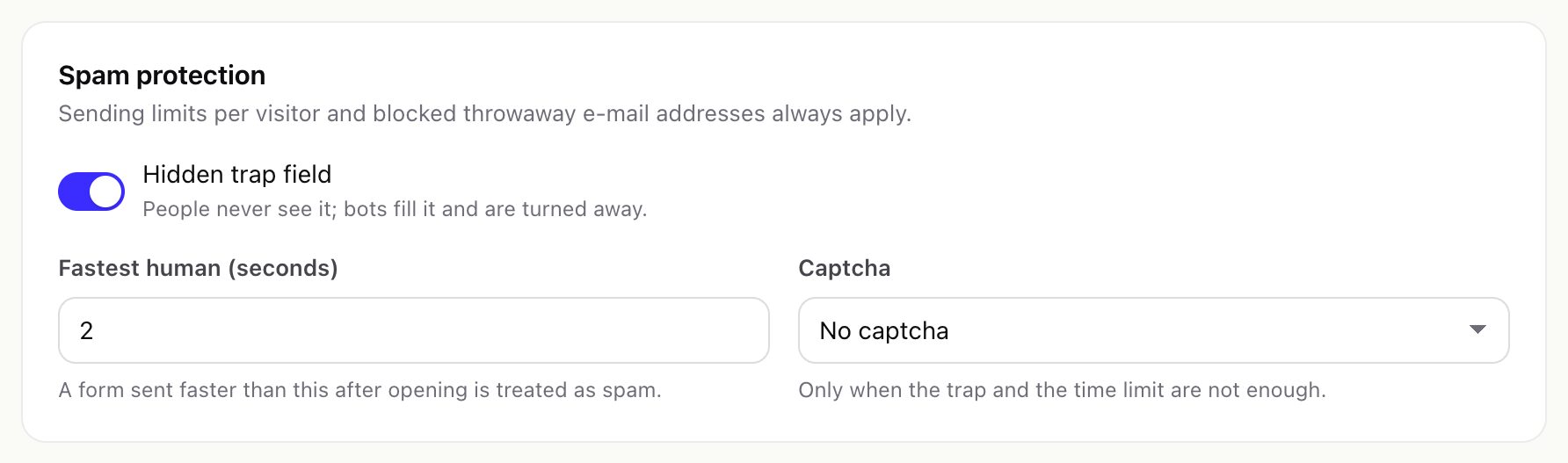
- Hidden trap field (on by default, per form): people never see it, bots fill it.
- Fastest human (per form, default 3 seconds): a form sent faster than this after it opened is spam.
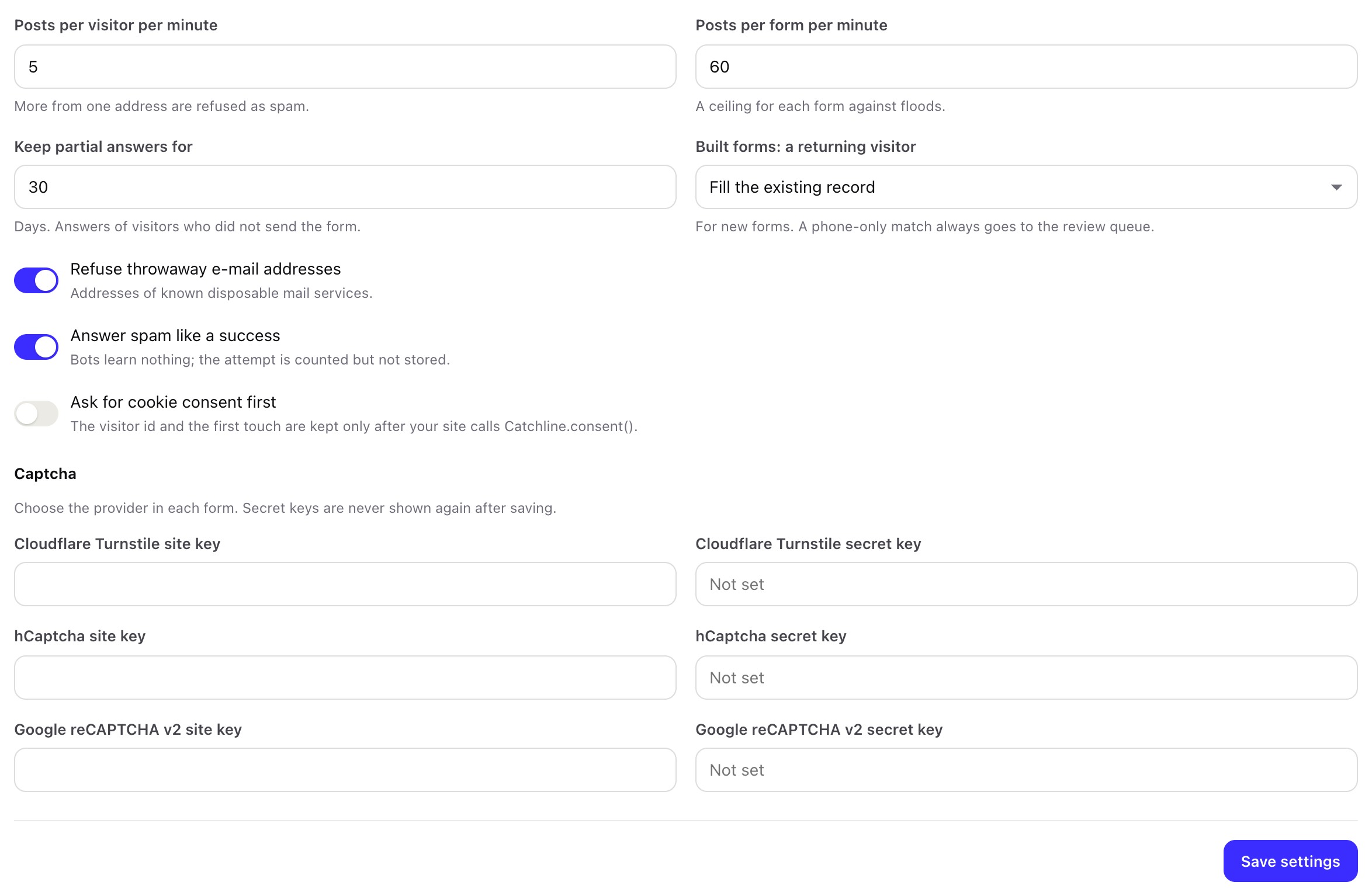
- Sending limits (Settings > Forms and spam): posts per visitor address per minute (default 5) and per form per minute (default 60).
- Throwaway e-mail addresses (on by default): addresses of known disposable mail services are refused. Blocked e-mail domains (Settings > Protection) adds your own list, one domain per line.
- Signed form token: each form view carries a signed token that is valid for 24 hours, so an old page asks the visitor to reload.
- Captcha (per form, optional): Cloudflare Turnstile, hCaptcha or Google reCAPTCHA v2, with your own keys in Settings > Forms and spam. Until both keys of the chosen provider are saved, visitors cannot send that form. Create reCAPTCHA keys of the v2 type ("I'm not a robot" checkbox); v3 keys do not work with the form.
- Answer spam like a success (on by default): bots get the normal thank-you answer and learn nothing; the attempt is counted on the form but not stored.
09What the form keeps in the visitor's browser
| Name | Where | What and how long |
|---|---|---|
cl_v | First-party cookie on the page's domain | A random visitor id, for one year. Used to count views once per day, to keep the A/B variant and to join unfinished answers. |
cl_ft | Local storage | The first visit: page, referrer, UTM parameters and click ids, for first-touch attribution. |
cl_p_<id> | Local storage | When a popup, slide-in or bar was last shown, or "done" after a send. |
With Settings > Forms and spam > Ask for cookie consent first switched on, cl_v and cl_ft are written only after your website calls Catchline.consent(), for example from your cookie banner; before that a new random id is used for each page view. Placement timing (cl_p_<id>) is kept either way.
With every answer the form also sends the page address, the referrer, the UTM parameters and click ids of the visit (gclid, gbraid, wbraid, fbclid, ttclid, msclkid) and, when your page has them, Meta's _fbp and _fbc cookies. With Ask for cookie consent first switched on, the two Meta cookies are read only after your website calls Catchline.consent(); answers sent before that carry no Meta cookie.