Answer every lead, even at night.
Stop the moment they reply.
Sequences of e-mails, waits, conditions and Perfex tasks that run on their own until the lead replies, becomes a customer, reaches a status you choose or unsubscribes.
01Sequences
Catchline > Follow-up lists your sequences with how many leads joined, e-mails sent, and open, click and reply rates. A lead joins every active sequence whose trigger matches, once. Sequences work on leads; customers and tickets created by a source do not join.

A new sequence starts switched off. Add its steps, then switch it on. Before you switch on the first one, set up e-mail in Perfex (Setup > Settings > Email); follow-up e-mails go out through Perfex's own e-mail settings.
02Who joins
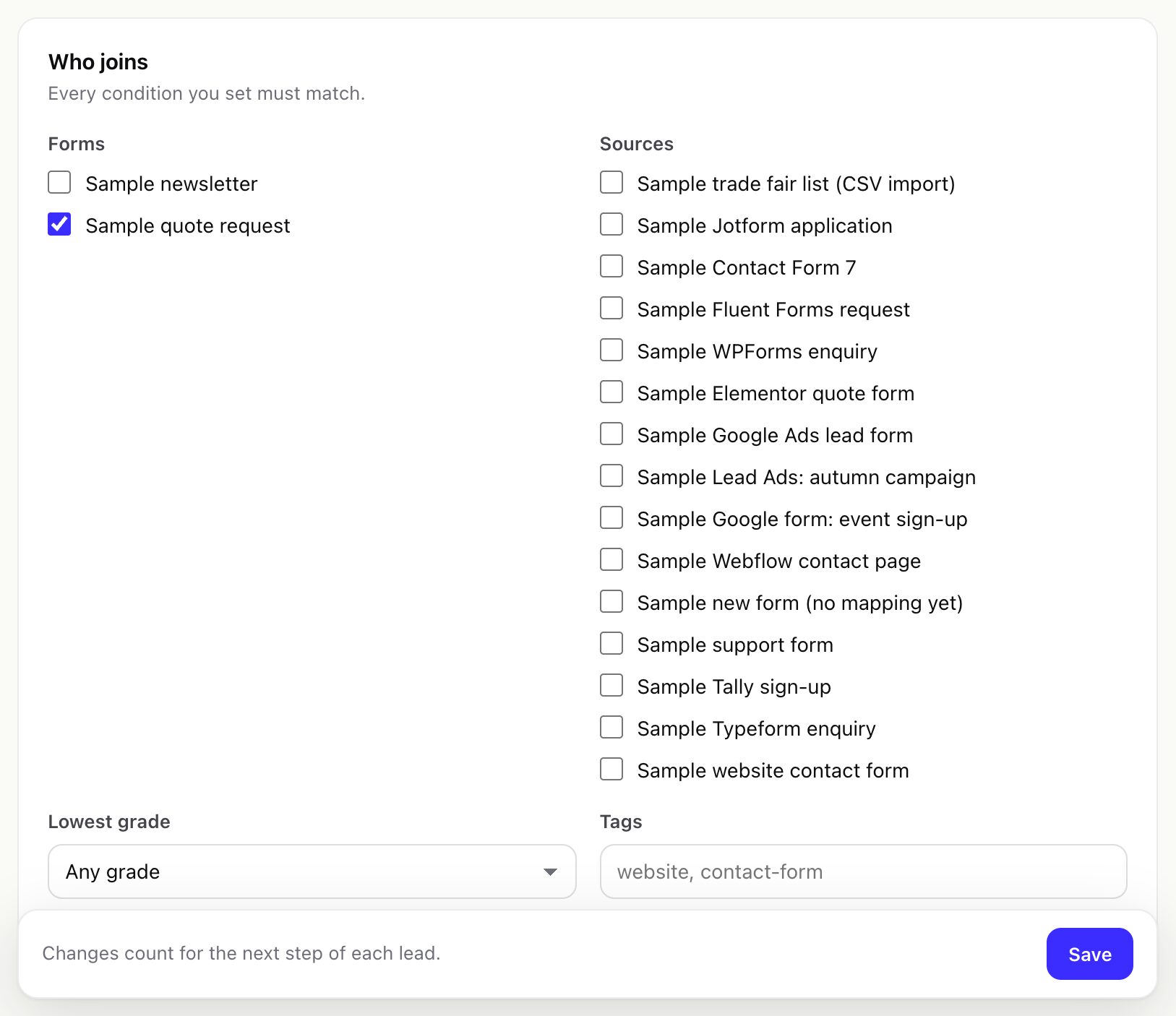
- Forms and sources the lead came from, the lowest grade (B takes A and B leads) and Perfex tags (any of them). Every condition you set must match.
- Nothing chosen: every new lead with an e-mail address joins. Keep that in mind before a CSV import.
03Steps
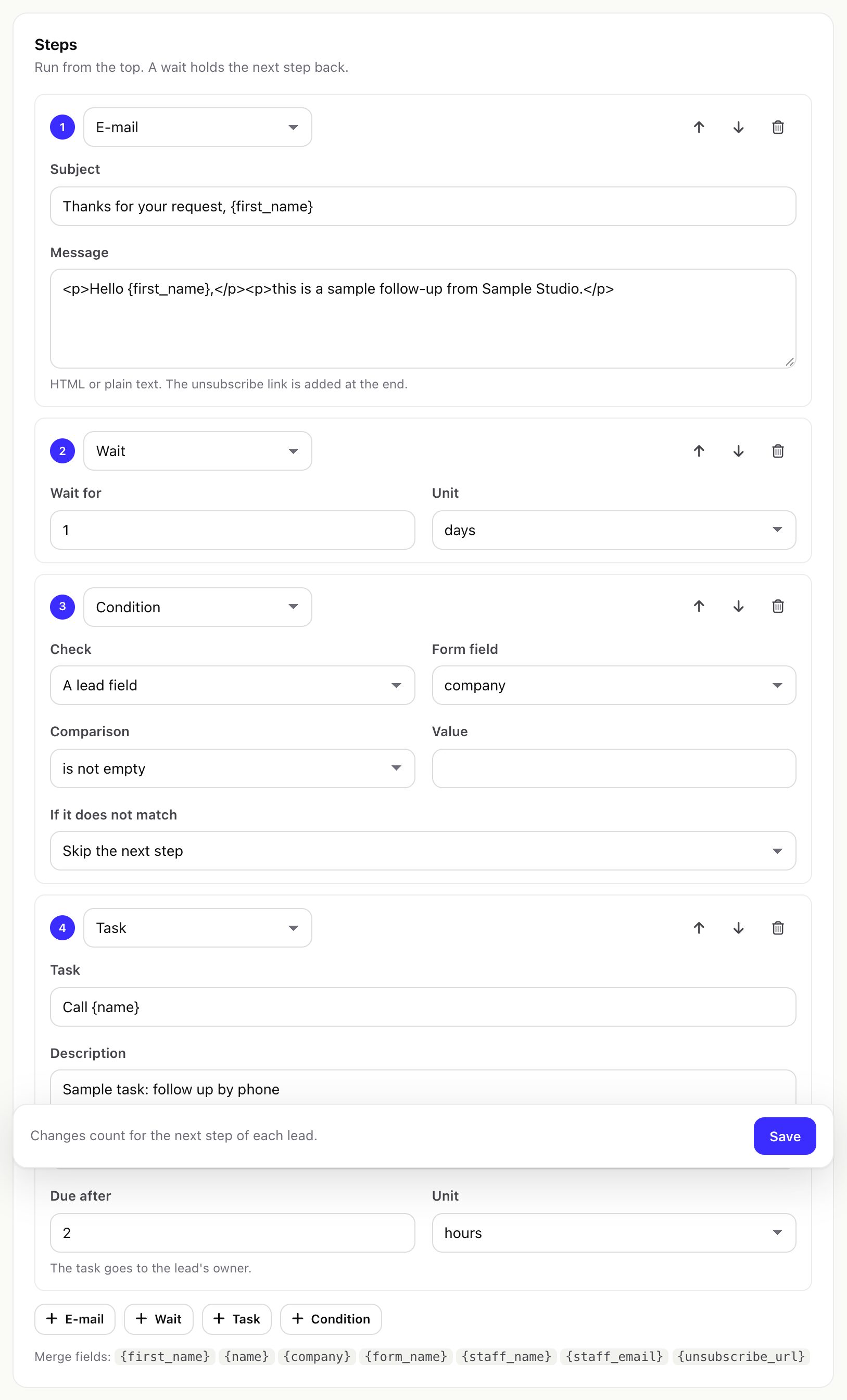
Steps run from the top; a wait holds the next step back. Up to 50 steps per sequence.
| Step | What it does |
|---|---|
| A subject and a message in HTML or plain text. The unsubscribe link is added at the end of every e-mail. | |
| Wait | From 1 minute to a year, in minutes, hours or days. |
| Task | A Perfex task on the lead, assigned to the lead's owner, due after the time you set (for example "Call {name}" due after 2 hours). |
| Condition | Checks a lead field, the score, the grade or the status id (is, is not, contains, does not contain, more than, at least, less than, at most, empty, not empty). If it does not match: stop the sequence, or skip the next step. |
Merge fields for subjects, messages and tasks: {first_name}, {name}, {company}, {form_name}, {staff_name}, {staff_email}, {unsubscribe_url}. Values are escaped before they go into an e-mail.
04When it stops
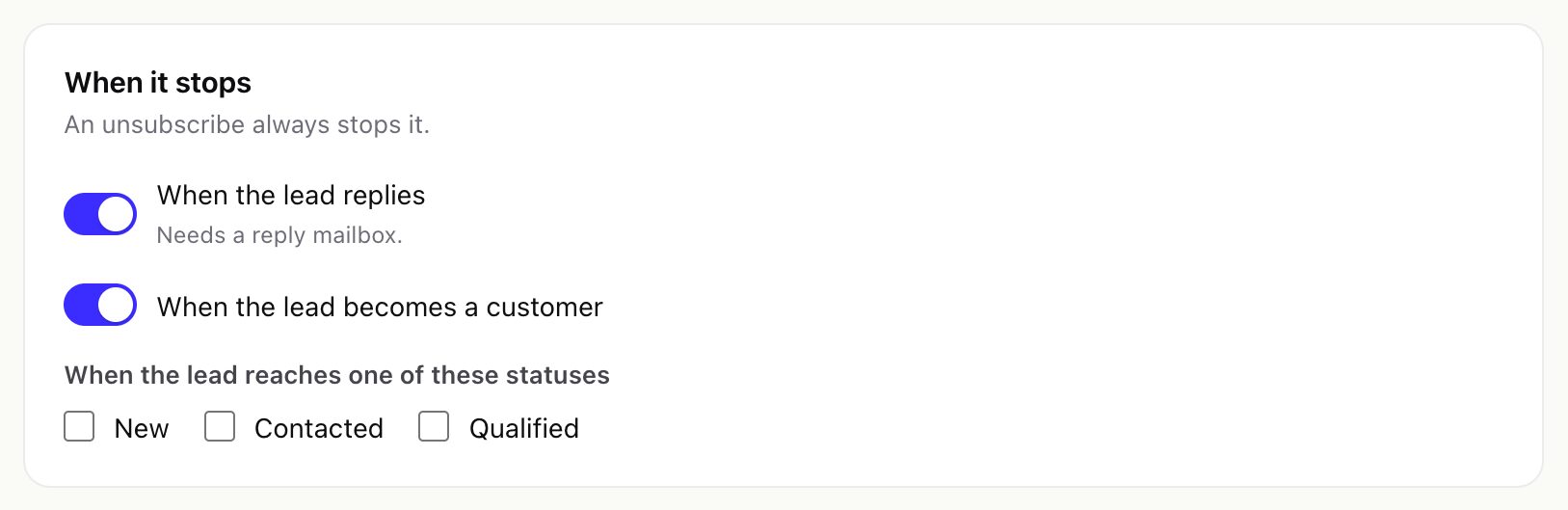
- When the lead replies needs a reply mailbox.
- When the lead becomes a customer, and when the lead reaches one of these statuses. Catchline notices status changes and conversions on the next cron run.
- An unsubscribe always stops it.
- Switching a sequence off stops it for everyone: nobody new joins and nothing is sent.
- By hand, for one lead: open the lead's Catchline panel and press Stop follow-up for this lead next to the running sequence (needs the Edit permission). Nothing more of that sequence is sent to the lead or created for it.
The lead panel shows why a sequence stopped ("stopped: by hand" for the button); the sequence's statistics count the reasons.
05Send window
E-mails wait for the days and hours you choose. They use the lead's own time zone when the form captured it, otherwise the sequence's time zone.
06Sending limits
- E-mails per hour of each sequence (0: no limit of its own).
- E-mails per hour, all sequences in Settings > Follow-up (default 0: no limit). Set it below your mail provider's limit to protect your mail server.
Before every e-mail Catchline checks the unsubscribe list again.
07Opens, clicks and unsubscribe
- Track opens and clicks (Settings > Follow-up, on by default) adds a small image and rewrites links through your CRM (
catchline/t/o/…andcatchline/t/c/…). A click link only ever leads to the address stored for it. Switched off: no tracking image and no rewritten links. Opens and clicks are counted once per link per hour. - Unsubscribe works in every e-mail, also with tracking off: the link opens a confirmation page on your CRM (
catchline/t/u/…) with your company name, and e-mails carry theList-Unsubscribeand one-clickList-Unsubscribe-Postheaders so mail apps can show their own unsubscribe button. The link text is Settings > Follow-up > Unsubscribe link text. - An unsubscribed address stays on the unsubscribe list, even when you delete the sequence.
08Reply mailboxes
To stop a sequence when the lead replies, add the mailbox your team replies from under Settings > Reply mailboxes. Catchline only reads it over IMAP on the cron. It never sends, deletes or moves mail.
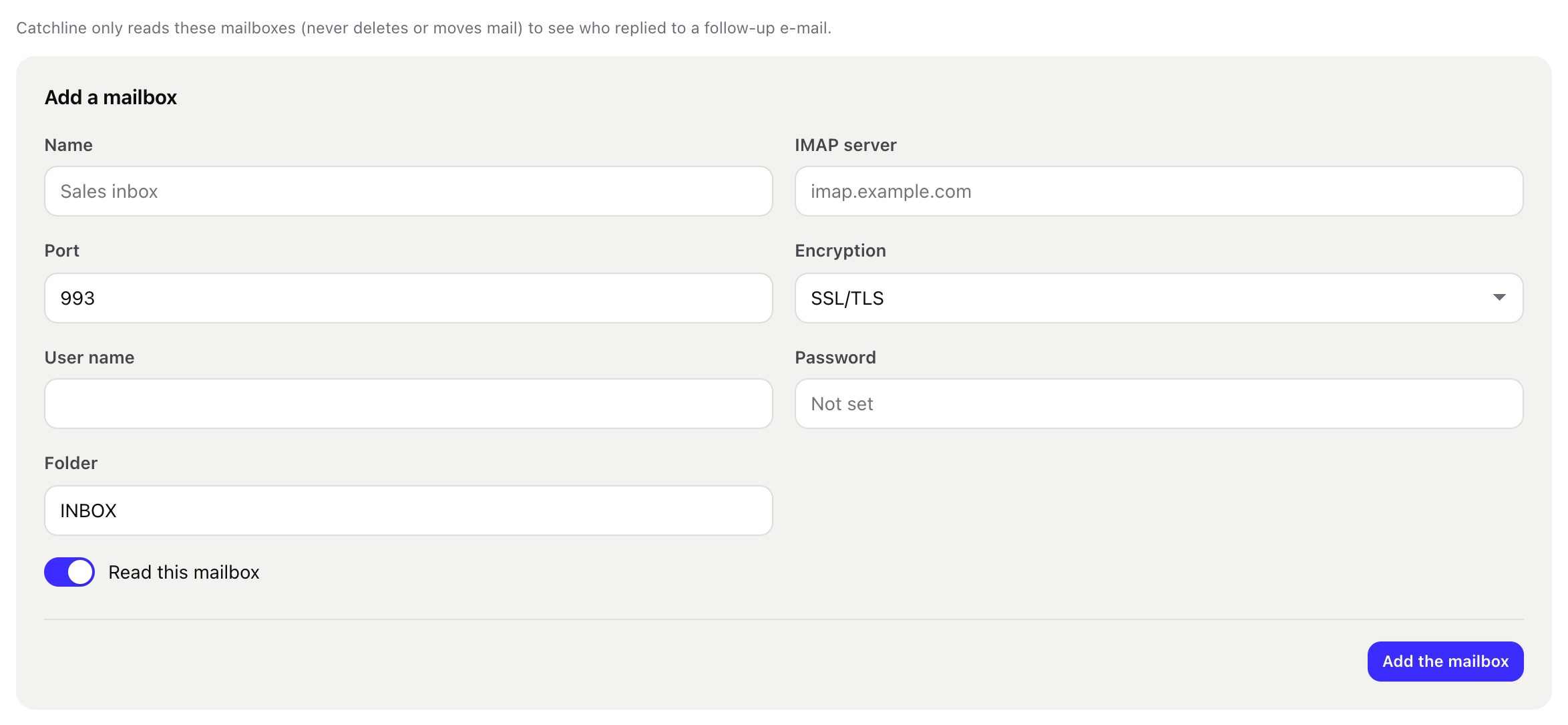
- IMAP server, port (usually 993), encryption SSL/TLS or STARTTLS (passwords are never sent unencrypted), user name, password (stored encrypted) and folder (default
INBOX). Test checks the connection. - A new mailbox reads mail of the last day first (Settings > Follow-up > Read replies of the last, 1 to 30 days).
- A reply is matched to the e-mail it answers by its headers, otherwise by the sender's address. Auto-replies and bounces are skipped.
- Server addresses on the local network, this server or cloud metadata addresses are refused.
- Gmail and Microsoft 365 mailboxes need IMAP to be allowed and usually an app password; sign-in with Google or Microsoft (OAuth) is not supported in 1.0.0.
Perfex's mail library may set its own Message-ID on outgoing e-mails. In that case replies are matched by the sender's address only, which works for most replies. No real IMAP server or mail provider was contacted in testing.
09Statistics
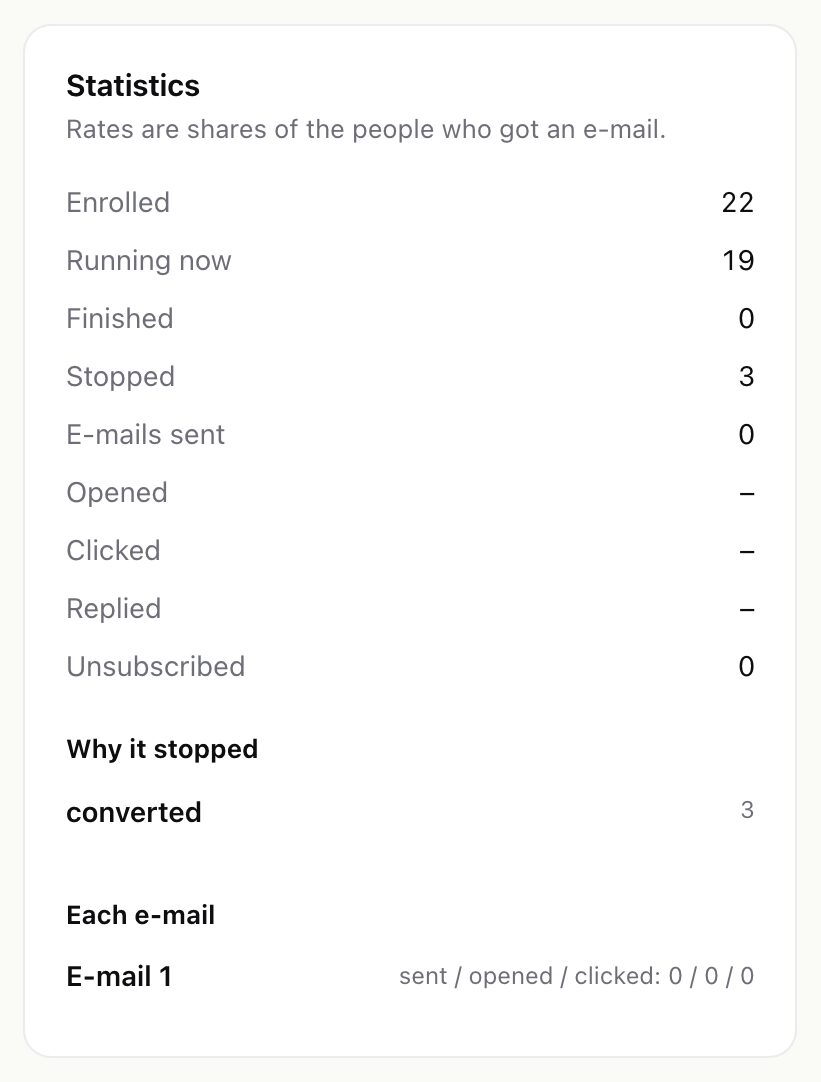
Each sequence shows how many leads joined, are running, finished, stopped or unsubscribed, the e-mails sent and the open, click and reply rates (shares of the people who got an e-mail), why sequences stopped, and sent / opened / clicked per e-mail.